> For the complete documentation index, see [llms.txt](https://help.aranet.com/llms.txt). Markdown versions of documentation pages are available by appending `.md` to page URLs; this page is available as [Markdown](https://help.aranet.com/aranet-cloud-page/aranet-cloud-landing-page/base-management/base-backup.md).
# Base Backup
Base configuration backup file keeping in Aranet Cloud is implemented in Aranet Pro/Pro+ with firmware version 3.1.2 and Aranet Cloud v1.7.26.
Aranet Pro/Pro+ must be registered to the active Aranet Cloud workspace. The base sends a backup file to the Aranet Cloud once per day when any changes in the base configuration or sensors list are made. Up to 10 latest backup files are visible to the user.
The **BASE STATIONS** page displays the registered bases list:
Clicking on the base opens the base's card, where all received files are under **BACKUPS** tab:
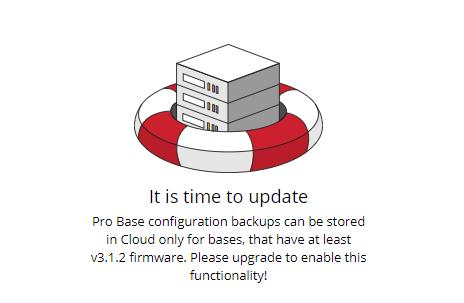
If the base firmware doesn't have at least firmware version 3.1.2, a special message is displayed:
Backup files are allowed for downloading to Users with "Base stations" ***write*** permission:
The needed backup file can be downloaded and used for Aranet Pro/Pro+ base reverting to previous state or base cloning.
Login to Aranet Pro/Pro+ web interface and navigate to SYSTEM menu -> BACKUP tab:
Then click on **IMPORT BACKUP** button and locate the downloaded file. You will be asked for the password to confirm the import.
Depending on the difference between the current configuration settings and the imported ones, you can lose connection to the base. If you have trouble recalling a previous base's IP address, use any network scanner to find it or complete the **Network reset** procedure to restore default network settings (see p.3 in the [Connection Issues](/aranet-cloud-page/aranet-cloud-landing-page/base-management/connection-issues.md) page).
---
# Agent Instructions
This documentation is published with GitBook. GitBook is the documentation platform designed so that both humans and AI agents can read, navigate, and reason over technical content effectively. Learn more at gitbook.com.
## Querying This Documentation
If you need additional information that is not directly available in this page, you can query the documentation dynamically by asking a question.
Perform an HTTP GET request on the current page URL with the `ask` query parameter, and the optional `goal` query parameter:
```
GET https://help.aranet.com/aranet-cloud-page/aranet-cloud-landing-page/base-management/base-backup.md?ask=&goal=
```
`ask` is the immediate question: it should be specific, self-contained, and written in natural language.
`goal` is optional and describes the broader end goal you are ultimately trying to accomplish on behalf of the user. GitBook uses it to tailor the answer towards what is most useful for that goal.
The response will contain a direct answer to the question and relevant excerpts and sources from the documentation.
Use this mechanism when the answer is not explicitly present in the current page, you need clarification or additional context, or you want to retrieve related documentation sections.